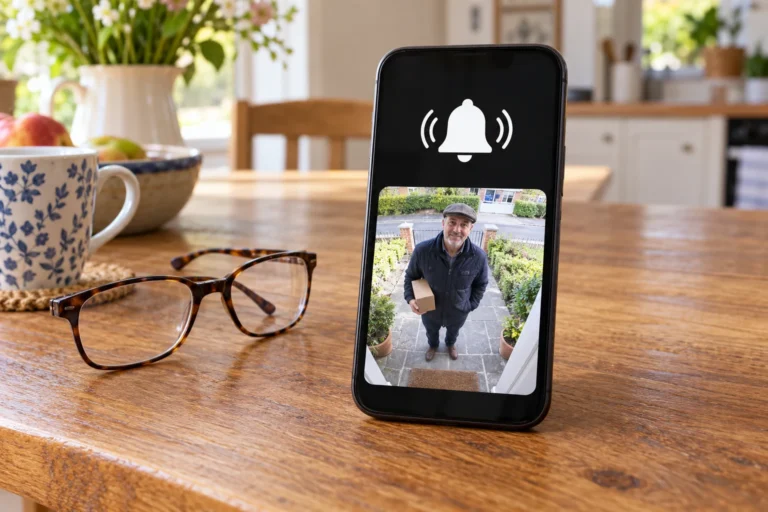
A simple doorbell rehearsal can show whether the expected signal reaches the intended devices. Instead of ringing repeatedly and guessing what went wrong, agree one test, record the result and use it to ask a focused question.
The resident should decide who takes part and which notifications are useful. Test only functions included in your setup. An indoor chime, screen and phone notification may have different requirements, so list them separately.
1. Agree the time and the expected result
Ask a trusted adult to press the doorbell normally at a convenient time. Tell everyone involved what will happen so nobody mistakes the rehearsal for an unexpected caller. You do not need to stage a worrying incident or trigger functions unrelated to answering the door.
Before the press, write down what you expect: perhaps a particular indoor device will ring and one authorised phone will show a notification. If nobody knows what should happen, ask the installer to confirm the intended arrangement first.
Begin with the normal household conditions. Note whether a phone is being used, locked or charging, and whether it has its usual connection. Avoid changing several settings merely to create a successful demonstration.
2. Record each device’s result
Use a short record for each intended recipient. The aim is to describe the event precisely enough that someone else can help interpret it.
- Test date and approximate bell-press time: ______.
- Device or authorised recipient expected to receive it: ______.
- What appeared or sounded: ______.
- Was a delay noticeable? ______.
- Could the intended person use the next control? ______.
For example, “The indoor screen rang; the phone showed a message later but made no sound” identifies two different results. “The doorbell failed” leaves those useful details out. Record an observed delay without treating a rough estimate as a technical measurement.
If answering is supported, try answering and finishing the call. Getting a notification and being able to complete a conversation are separate checks.
3. Review one issue at a time
Take missed or unexpected results to the installer with the app name and model, where known. Relevant settings may include device events, app notifications and phone permissions, but their names and interaction depend on the setup.
The official Hik-Connect push-notification guidance explains an app-level control. It should be used alongside the instructions for your installed equipment and phone, rather than treated as a complete test of every alert.
Where an appropriate change is agreed, note what changed and repeat the same bell press. Change one thing at a time so the result remains understandable. Do not grant extra account permissions or disable other household alerts without understanding the consequences and obtaining the resident’s agreement.
4. Keep the outcome realistic
Mark each item as working during the test, needing attention or not tested. Keep that distinction: an untested phone should not be recorded as reliable because another phone received the call.
Connectivity, device availability and whether someone notices a notification can change. An app alert does not provide a guaranteed response or emergency service. Keep the resident’s ordinary ways of contacting other people available.
After any agreed adjustment, ask whether the signals feel useful in daily life. A technically successful notification may still be too distracting or difficult to notice. Our guides to camera alerts and using the app explain the wider questions.
Call Home Care Security on 0333 666 1983 with your test record to discuss supported alerts and the next appropriate check.