Start a camera viewing device compatibility check with your existing system. A shop listing alone cannot confirm what will work. Before buying a phone or tablet, confirm the app, current requirements and everyday tasks the resident wants to use. A larger screen alone does not prove that a device will suit the installation.
This guide is a buying-preparation checklist, not a recommendation for a particular model. Requirements can change, and an older manual may describe a different app version. Ask for current evidence that matches both the proposed device and the installed equipment.
Identify the camera system and viewing app
Use your quotation, handover notes or accessible information screen to identify the camera system and app. Note the app version and the viewing device currently used if you know them. Leave missing information as a question for the installer rather than guessing.
Explain why you want a change. Perhaps the resident wants a more comfortable screen, the current phone is being replaced or a device is no longer convenient. That reason helps keep the shortlist focused on a real task instead of adding features nobody needs.
Our guide to getting comfortable with the security app can help identify which part of everyday use needs attention.
Check current compatibility before purchase
Ask the manufacturer or installer where the current app requirements are published. Match those requirements to the exact phone or tablet model, operating system and available official app distribution route. Do not rely on a search result quoting a version from several years ago.
Hik-Connect's service terms describe hardware, software, account and connection requirements. They do not establish that any particular tablet on a shop shelf is suitable for your household. The current app listing and exact system documentation still need checking.
- Is the required app available through the official route for this device?
- Does its current operating system meet the requirements?
- Can the device receive the updates needed during its intended use?
- Are the particular camera functions required supported?
- What connection will the household use at home and away?
Ask the provider to distinguish confirmed compatibility from an assumption. “It should work” is a question to resolve, not a completed test.
Demonstrate the camera viewing tasks that matter
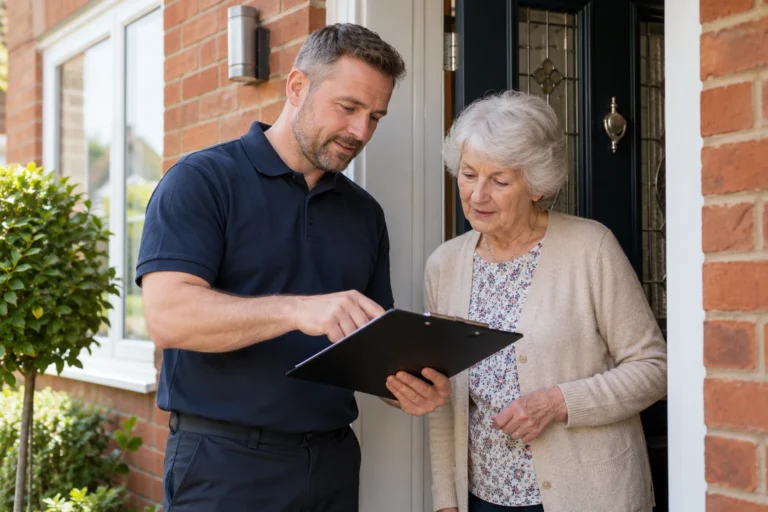
Where a suitable demonstration is available, try the ordinary sequence from the starting screen. Can the resident notice an event, open the correct view and finish the task comfortably? If two-way audio or recordings form part of the installation, include those specific functions.
Ask whether the demonstration uses the proposed model and relevant app version. Trying a different device can still help identify preferences, but should not be described as a compatibility test of the item you intend to buy.
Use normal glasses or other everyday aids and a comfortable position. Give the resident time to repeat a step. This is not a memory test; a confusing instruction may simply need a better explanation.
Consider sound and handling as well as screen size
A larger display can change how a device is held and where it sits. Ask the resident to consider weight, reach, charging arrangements and the controls they use most. Do not assume that a particular device meets an accessibility need merely because its screen is large.
Check supported sound and notification options against the resident's preferences. A loud demonstration in a quiet shop does not establish what will be noticed in the home. Ask what can be tested in the actual setting and what remains uncertain.
The existing doorbell demonstration guide provides a fuller practice routine. Use it to assess the person’s experience, alongside the separate technical compatibility check.
Decide whether the device will be shared
Clarify who will use the phone or tablet for other activities. A shared household device raises a different access question from a resident's personal phone. Discuss what someone else could see when they pick it up, including any supported notification previews.
Do not assume the purchase authorises new family camera access. Preserve the resident's agreed permissions and ask about suitable account separation. If the available controls do not meet the household's wishes, reconsider the arrangement before buying.
Build a comparison card
Use the same questions for each shortlisted device:
- Exact model and operating system.
- Current official app compatibility evidence and date checked.
- Tasks demonstrated and tasks still untested.
- Resident's comments about viewing, sound and handling.
- Account and shared-device arrangement.
- Purchase cost and any required accessories or connection costs.
- Questions to resolve before deciding.
An illustrative comparison might show that one tablet has a comfortable screen but an unverified app requirement, while another has confirmed compatibility but feels awkward to hold. Neither fact alone settles the choice. Resolve the uncertainty and let the resident's experience inform the decision.
Keep compatibility evidence separate from buying terms
Ask for the current requirements in writing or save the official reference with the date checked. Record the exact device being considered, including its operating system. This keeps the camera viewing device compatibility discussion tied to a specific purchase.
Then check the seller’s terms for that item. Ask what happens if the intended app or function does not work as expected. Do not assume a demonstration, a return promise or setup assistance is included. Record any relevant limits before paying.
Include the practical extras in the comparison. A case, stand, charger or connection plan may affect comfort and cost. Ask what is necessary for the proposed arrangement rather than buying every suggested accessory.
Finally, decide who will carry out the supported setup and show the resident the everyday steps. Allow time for questions before handing over the old phone. A successful purchase decision should cover both technical requirements and a manageable changeover.
Plan the viewing device changeover
Before replacing the old device, confirm the supported sign-in and access process. Keep the account owner involved and do not circulate passwords. Ask how access from the old phone should be reviewed, especially if it will be sold or lent to someone else.
Ask Home Care Security about compatibility support for your installation. Send the proposed device model, app name and the tasks you need, not passwords or private recordings. No particular retailer, model or price is recommended here.
Source: Hik-Connect service terms, reviewed 11 November 2026. Current model-specific app requirements and a suitable demonstration remain necessary before purchase.