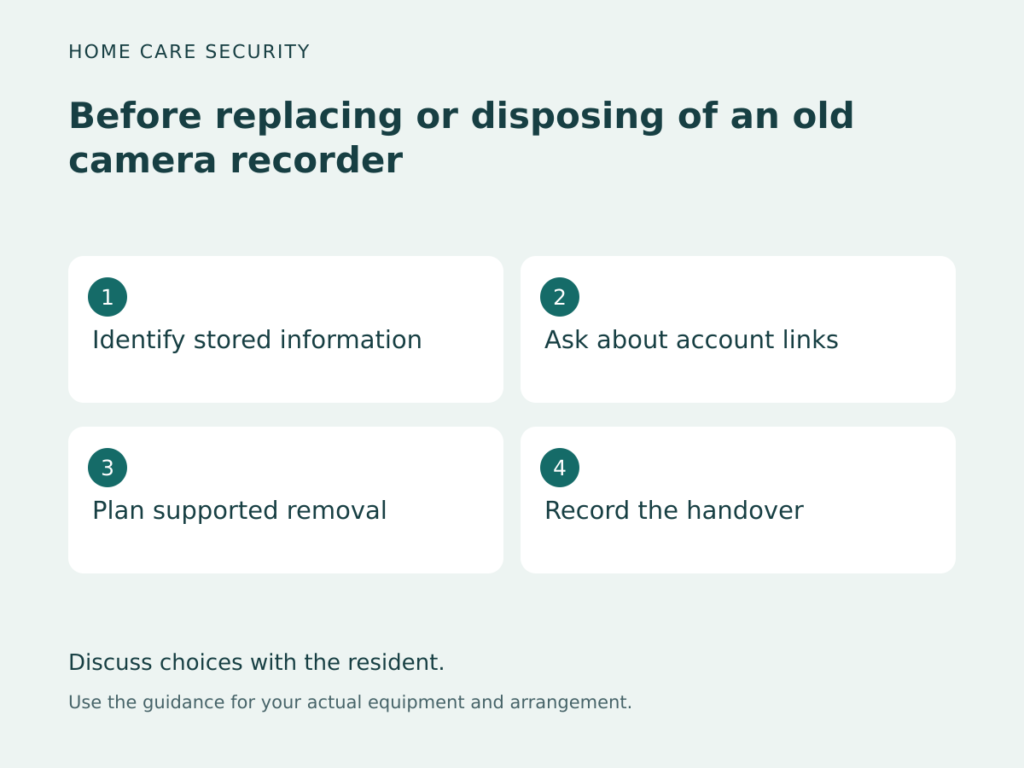
Disposing of a security camera recorder involves more than finding somewhere to take the box. Ask what footage and account information it holds, what must be preserved and which manufacturer-supported process applies before it leaves your control.
A replacement visit is a good time to agree responsibilities in writing. Do not assume the installer will erase storage, remove account links or dispose of equipment unless that work is included. Equally, do not attempt a reset or drive removal because it sounds like a quick way to prepare.
Identify what is being replaced
Use the quotation and installation paperwork to list the equipment involved. Is it the recorder, a camera, a storage device or the whole arrangement? Record the model from an accessible label or document; do not open powered equipment or climb to find one.
Ask who owns each item and whether it is to be returned, reused, sold or recycled. A device supplied under a particular agreement may have return conditions. Leave ownership or disposal questions unresolved until the relevant provider confirms them.
Our recordings and storage guide explains why the storage arrangement needs checking rather than assuming all footage is on the same device.
Decide what needs preserving first
Before any deletion or replacement, ask whether relevant recordings need to be retained for an existing request or concern. Do not erase material that has been requested while trying to tidy the system. Seek appropriate advice about what should be preserved and how.
Keep any preservation task narrow and authorised. Do not copy every recording into a family folder simply because the recorder is changing. If a legitimate copy is needed, use the correct export process and an agreed secure destination.
Also gather useful non-sensitive installation information, such as model details, the agreed camera names and support paperwork. Keep account passwords and verification codes out of a shared handover sheet.
Ask what the reset or erasure actually does
Different operations can have different purposes. A reset of settings should not be assumed to securely erase every recording or remove every account relationship. The ICO advises checking with the manufacturer about the security of a device's factory-reset process.
Ask the provider to identify the exact procedure for the model and storage type. If equipment is broken, explain that before a procedure is proposed. A device that cannot start may require a different professional approach; it is not a reason to improvise destructive work at home.
- What data or settings does the proposed procedure remove?
- Does it include installed or removable storage?
- What happens to any remote account link?
- Who will carry out the work and record its completion?
- What remains to be done if the procedure cannot complete?
A confident general statement such as “we reset everything” is less useful than a model-specific explanation. Ask for clarification before the device changes hands.
Keep account access as a separate question
The old recorder and the accounts used to view it are related, but they are not the same thing. Ask which account associations or permissions need reviewing as part of replacement. Do not assume deleting an app from one phone ends every person's access.
Agree the intended access on the replacement with the resident. Use supported sharing arrangements rather than copying the main login to everyone who used the old system. A replacement should not quietly increase the number of viewers.
If somebody else appears to own or manage the account, use the provider's legitimate ownership process. Do not attempt to bypass it or ask a stranger online to remove a binding.
Agree the physical handover
Write down who will take the old equipment and for what purpose. Confirm whether storage stays with it, whether any work remains outstanding and what evidence of completion will be provided. Do not advertise or donate the device before the data-handling questions are resolved.
For recycling, use an appropriate electrical-equipment route and follow the receiving organisation's instructions. Do not dismantle the recorder, break storage media or put yourself at risk in an attempt to destroy data. Ask a suitable professional if the required process is beyond ordinary supported use.
A fictional handover note might say: “Recorder replacement planned; relevant footage question referred to requester; model-specific data process awaiting confirmation; old equipment stays with resident until agreed.” An open question is safer than a tick beside a task nobody has checked.
Verify the replacement and retain the record
After the agreed work, check the new arrangement with the resident. Confirm the intended views, available recording functions and authorised access through the normal handover process. A new live picture alone does not verify all of those functions.
Ask Home Care Security what replacement and support work is available for your installation. The support section can help you prepare the first enquiry without sending credentials or private footage.
Source
ICO device data-deletion guidance. The guidance is under review. Exact recorder erasure and disposal requirements need current model-specific confirmation; no secure-erasure guarantee is made here.