Security camera end of support questions should start with the exact model and the manufacturer's information. An old purchase date or an alarming sales message does not establish that support has ended. Find the evidence before deciding what to do next.
This guide helps you prepare a review with an appropriate installer or support provider. It does not say that a particular Home Care Security product is unsupported, or that every older camera must be replaced. The answer depends on the actual equipment, software and services involved.
Identify the camera equipment accurately
Look at accessible installation paperwork, the quotation or a supported information screen. Record the model and software version if available. A camera, recorder, doorbell and viewing app can be different parts of the same arrangement, so avoid treating the entire system as one unnamed device.
Do not climb, open equipment or expose wiring to find a label. If the records are incomplete, ask the installer which details they need and how those can be obtained safely.
Our guide to keeping an update record helps organise information already available. This article focuses on a support decision, not on repeating the update process.
Find out which camera support is ending
The word may refer to software updates, technical assistance, a cloud service, spare parts or an installation support agreement. Ask which one is changing. An installer changing its service terms is not necessarily the same event as a manufacturer ending software updates.
- Which exact product or service does the notice name?
- Who issued it, and where is the official statement?
- What kind of support is ending or changing?
- What date and conditions does the statement give?
- Which parts of this household's installation are affected?
Keep the source and the date checked. If someone cannot provide the evidence behind a replacement recommendation, mark that point as unresolved. Do not turn a missing answer into a claim that the equipment is either safe indefinitely or immediately unusable.
Ask about the functions the household uses
Make a list of the agreed everyday tasks: seeing a caller, hearing a chime, viewing a recording or receiving a notification, where supported. Ask the provider how the documented support change relates to each task.
Separate a function continuing to operate from its security or support position. A visible picture alone is not a complete assessment. Equally, an end-of-support notice may need explanation before you know whether it affects the component you own.
Do not test the issue by disconnecting equipment or changing network settings without appropriate guidance. Keep the resident's normal doorstep and contact routines available while the questions are investigated.
Compare the support and replacement options
Ask for the choices that fit the actual installation. These might involve a supported update, a change to a particular component, a different service arrangement or replacement. Do not assume all are available or suitable.
For each option, record what changes and which equipment remains. Note the effect on agreed access and recording. Include ongoing costs and the new support information. The package overview can frame a service discussion, but only the written proposal establishes the actual equipment and scope.
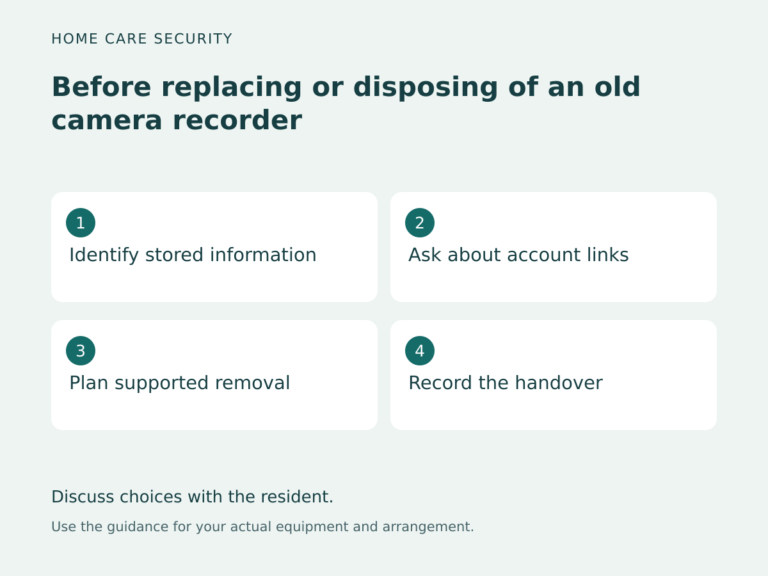
Ask what happens to stored footage and account links if a recorder or camera is replaced. Those questions should be part of the plan, not left until the old equipment is being taken away.
A support decision worksheet
Use one row per affected component. Keep personal credentials off the sheet.
- Equipment: model and version, with unknowns marked.
- Evidence: official statement and date checked.
- Change: the particular support or service affected.
- Household impact: tasks that need explanation.
- Options: written alternatives and their limitations.
- Decision: resident's preference, unresolved questions and next review.
For example, a fictional household has a notice about an app but no confirmation about its recorder. The useful next step is to identify the app version and ask how the notice applies. Writing “whole system obsolete” would go beyond the evidence.
Check the support evidence before approving a change
Read the notice alongside the equipment record. A family name or product range may contain several models. Ask the provider to identify the line that applies to yours. If the statement gives a version or region, include that detail in the question.
Then separate the date of the notice from the date of the proposed change. A page published recently may describe an older event. Conversely, a future date may give time to plan. Record what the source actually says instead of using the day you found it as the deadline.
For an unresolved security camera end of support enquiry, keep a short list of missing answers. You might need the exact model, the applicable notice or the proposed replacement scope. Assign each question to the provider who can answer it. This avoids asking a retailer to confirm another company’s service commitment.
If replacement is proposed, ask how the changeover will be handled. Which familiar functions will be demonstrated? Who will review authorised access? How will any relevant recordings be preserved before old storage leaves the home? Agree these details before work starts.
Finish by recording the resident’s decision and its basis. A decision to request more information is a valid outcome. Do not label the installation compliant, secure or obsolete without the evidence and appropriate assessment needed for that claim.
Keep the resident involved in the choice
A technical change can affect familiar controls, alerts or family access. Ask the resident what they want to keep and what they find difficult. A proposed replacement should be demonstrated against those needs, not sold only as having more features.
Allow time to understand the recommendation and costs. If there is a documented urgent security issue, ask the provider to explain the appropriate immediate precautions for the exact system. Do not improvise a workaround from instructions for another model.
Contact Home Care Security with the model information and the official notice you want to discuss. Ask what assessment or support is available. Do not send passwords, verification codes or private recordings.
No specific support-end date is established here. Ask the manufacturer for the applicable model notice before making a product decision.